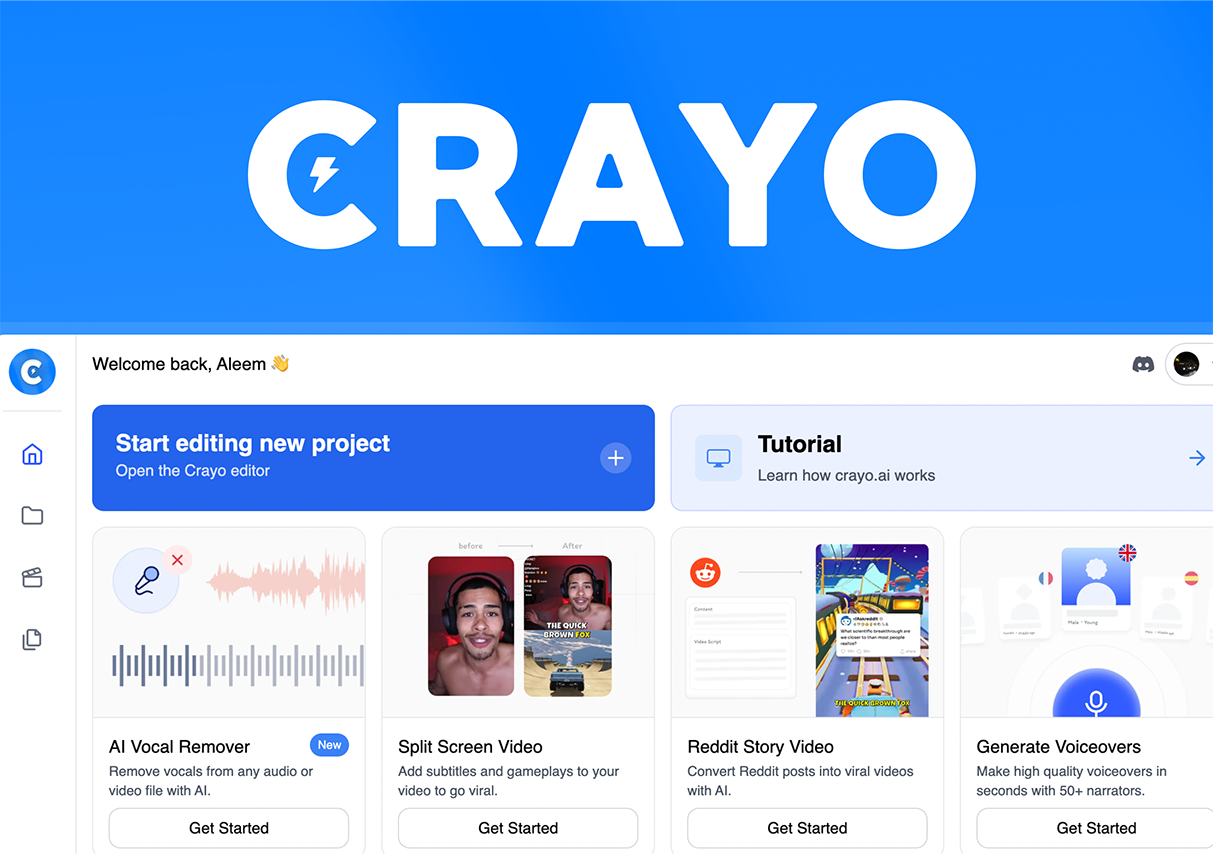
In my spare time, I dabble in creating short-form videos. When I first started, I was brimming with enthusiasm, spending every day brainstorming creative concepts in hopes of producing my own viral hit. However, reality soon gave me a rude awakening: creativity alone isn’t enough—video editing is the biggest bottleneck. Faced daily with mountains of raw footage, I would often sit in front of my editing software for hours on end—manually selecting clips, adjusting pacing, and adding subtitles and special effects. Sometimes, it would take me half a day just to wrestle a single 30-second short video into shape.
A while back, acting on a friend’s recommendation, I decided to give Crayo a try—an AI-powered video editing tool. I was initially skeptical, thinking, “Can an AI really edit better than I can? Surely it can’t replace human creativity.” But after actually using it, I completely changed my perspective on AI-assisted editing.
My First Impressions
I used a batch of travel footage I had filmed myself for my very first experiment with Crayo. The video upload process was incredibly simple—a quick drag-and-drop was all it took. Within just a few minutes, the AI presented me with a preliminary edit. The version I saw featured tight pacing, with every shot capturing a key highlight; it flowed even more smoothly than the videos I used to spend two hours editing manually. The AI-generated subtitles also blew me away. Previously, I had to type out subtitles word by word; now, the tool automatically recognizes speech and generates accurate subtitles—supporting seamless switching between Chinese and English—making it perfect for creators like me who publish content across multiple platforms.
I spent a full week diving deep into the Crayo experience before I truly grasped just how powerful it is. In the past, editing videos meant I had to constantly sift through footage myself to pick out the best moments—a particularly arduous task when dealing with short-form content that demands a strong rhythm and is packed with highlights. Now, the AI automatically analyzes the video’s content and pacing, intelligently identifies the most engaging clips, and generates multiple different edits for me to choose from. All I have to do is select the version I like best—it feels just like having a patient, highly efficient assistant working right alongside me.
What surprised me even more was that the AI not only edits the footage but also intelligently recommends background music and special effects. It automatically adjusts transitions based on the video’s rhythm, making the entire production look incredibly natural. In the past, I used to agonize over selecting music and transitions; now, the AI handles all of that automatically, leaving me to simply make the final minor tweaks. Furthermore, Crayo can automatically output video versions optimized for various platforms—whether it’s Instagram, YouTube, or TikTok, it handles them all with ease. I no longer have to manually adjust aspect ratios and durations—a feature that boosts efficiency at least threefold for a creator like me who manages content across multiple platforms simultaneously.
User Experience and Workflow
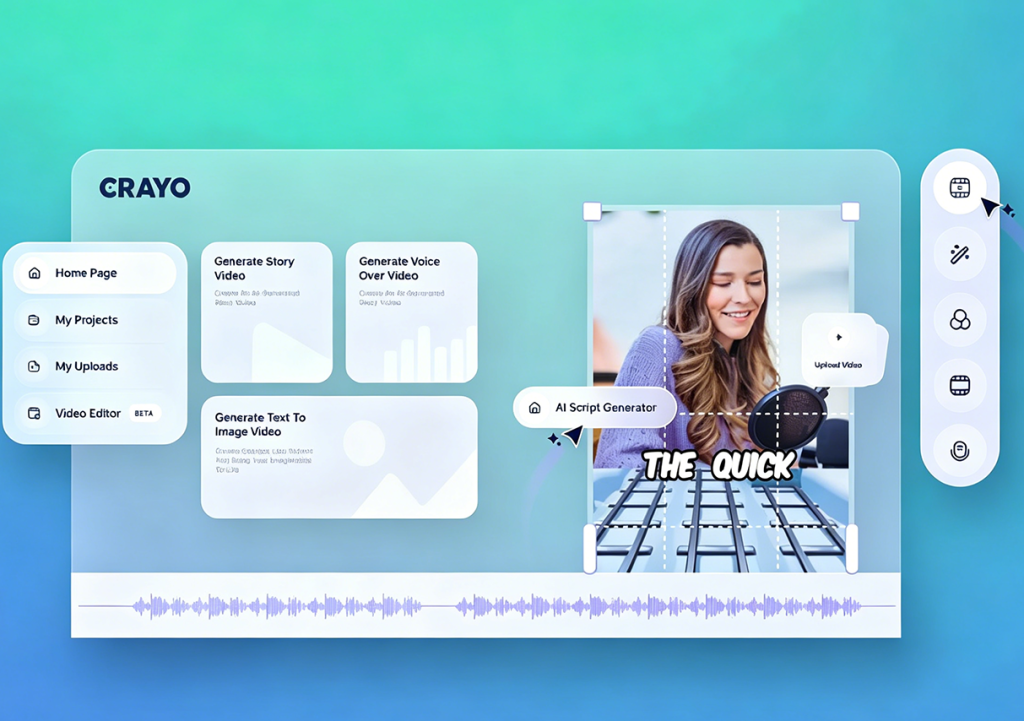
The entire workflow proved to be far more intuitive and seamless than I had anticipated, presenting virtually no learning curve. During my first session, I uploaded some travel footage I had filmed myself—a process completed simply by dragging and dropping the files. The platform supports a wide variety of video formats, which is incredibly convenient for a creator like me whose source material comes from such diverse origins. After uploading, I barely had to wait at all before the AI began automatically analyzing the video footage, audio rhythm, and key content highlights. Watching the speed at which the AI processed everything, I found myself thinking in silent astonishment: “This level of efficiency is simply incomparable to manual human editing.”
Once the analysis was complete, the system generated several preliminary edited versions. I clicked on the first version and discovered that the highlights the AI had automatically selected were remarkably accurate—it had instantly identified and chosen the very shots that I myself would have had to watch repeatedly to pinpoint. Each version featured a distinct rhythm, offering me the freedom to choose; I could quickly browse through them to select the one I liked best, or fine-tune specific details without compromising the overall flow of the video. The entire selection process was far less arduous than my previous manual editing routine, yet it still preserved my sense of creative autonomy.
Next came the subtitles and special effects section, where the AI’s intelligent recommendation feature truly left the deepest impression on me. Not only did it automatically generate accurate subtitles—requiring almost no manual correction on my part—but it also recommended background music, filters, and transition effects tailored to the video’s specific rhythm. I casually selected a filter and a piece of upbeat background music, and immediately felt that the overall production quality of the video had been significantly elevated. In the past, I would often spend upwards of thirty minutes just trying to select the right background music; now, with the AI handling the automatic matching, I have more time to focus on the creative substance of the video itself, rather than getting bogged down in technical operations.
Throughout the entire process, I could preview the video results at any time to check how well the subtitles, transitions, and music aligned. This instant feedback gave me a greater sense of control over my work. Although the AI-generated edits were already outstanding, I could still make subtle adjustments to suit my personal preferences—such as extending a particularly impressive shot or fine-tuning the timing of subtitles—ensuring the final video felt both professional and uniquely my own.
The Minor Challenges I Encountered
Of course, AI isn’t perfect. On a few occasions, I felt the generated edits were slightly too fast-paced, or that certain shot transitions didn’t flow quite naturally. Fortunately, Crayo offers fine-tuning features; I could simply drag and drop elements to adjust the pacing with virtually no extra effort. Additionally, for videos with complex content—such as multi-character dialogues—the AI’s subtitle recognition was occasionally slightly off; however, correcting these errors was quick and easy. In reality, these minor issues didn’t detract from the overall experience at all; compared to the time I used to spend on manual editing, the advantages of using AI are simply too significant to ignore.
Practical Tips and Tricks
After using the platform for a while, I’ve compiled a few practical tips to help other creators make the most of Crayo. First, before uploading, try pre-selecting your “highlight” footage so the AI can more quickly identify and capture the most exciting moments. Second, take advantage of the multiple edit versions provided by the AI to conduct A/B testing, helping you discover which pacing and sequence combinations resonate best with your audience. Finally, if you upload footage aligned with trending topics or challenges on short-video platforms, the AI can generate edits that more precisely match current trends, giving your content a much higher potential to go viral.
Easily Create Viral Hits—Start with Crayo
My experience with Crayo has given me a profound appreciation for the value AI brings to the creative process. It not only saves a tremendous amount of time but also allows me to focus my energy on creative planning and content optimization, rather than getting bogged down in tedious editing tasks. Most importantly, I’ve seen a significant boost in my video view counts, with several of my short clips successfully landing on “Recommended” lists—a sense of accomplishment that has deepened my passion for content creation.
From my initial skepticism to my current complete reliance on the tool, I am increasingly convinced that AI-powered editing represents the future of short-form video creation. Crayo is more than just a tool; it acts as an efficient creative partner, empowering creators to effortlessly navigate the diverse challenges of video production.