I’ve experimented with countless plugins in my home studio, but I’ve always faced one core challenge: how to produce professional-quality audio within the constraints of a limited environment. Whether it involves mixing, mastering, or repairing imperfections in recordings, every step can consume a vast amount of time and energy. However, since I began using iZotope’s RX 12 and Ozone 12 software suites, everything has changed dramatically.
1.RX 12 Advanced: The Professional Toolkit for Audio Repair
In my daily production workflow, I frequently need to tackle issues such as recording noise, mouth clicks, background chatter, and even low-frequency bleed between drums and vocals. RX 12 Advanced has become an indispensable tool for me.
Key Feature Highlights
- Scene Rebalance (New Feature): Allows for the independent adjustment of different elements within a mixed track; even in recordings that have already been mixed down, it can precisely isolate vocals, drums, or instruments.
- De-bleed (Rebuilt): Eliminates microphone bleed, resulting in cleaner recordings.
- Dialogue Isolate (Improved): Quickly isolates dialogue—an ideal feature for podcasts or interview recordings.
- Music Rebalance (Improved + Real-time Plugin): Effortlessly adjusts the volume balance between vocals, drums, and other instruments.
- Breath Control (Rebuilt): Smooths out vocal breaths, enhancing the natural flow of the recording.
- Trim Silence: Automatically removes excess silence, making the editing process more efficient.
My Experience
During the production of an electronic pop track, I encountered an issue where the low frequencies of the drums and bass were clashing, while the high frequencies of the vocals occasionally sounded harsh. By utilizing the Music Rebalance module within iZotope’s RX 12 Advanced, I was able to directly adjust the layering of the vocals and instruments; within just a few minutes, the mix sounded clear and balanced. The Scene Rebalance feature allowed me to independently adjust the volume levels of the vocals and drums without compromising the integrity of the overall track—a capability that saved me an immense amount of time compared to manual adjustments.
The real-time plugin functionality of iZotope’s RX 12 Advanced is also incredibly convenient. Being able to operate directly within my DAW—without the need to export audio files—has boosted my workflow efficiency by at least 50%. For me, this software is not merely a repair tool; it is a powerful asset that significantly expands my creative freedom.
2.RX 12 Standard: A High-Value Choice for Audio Repair
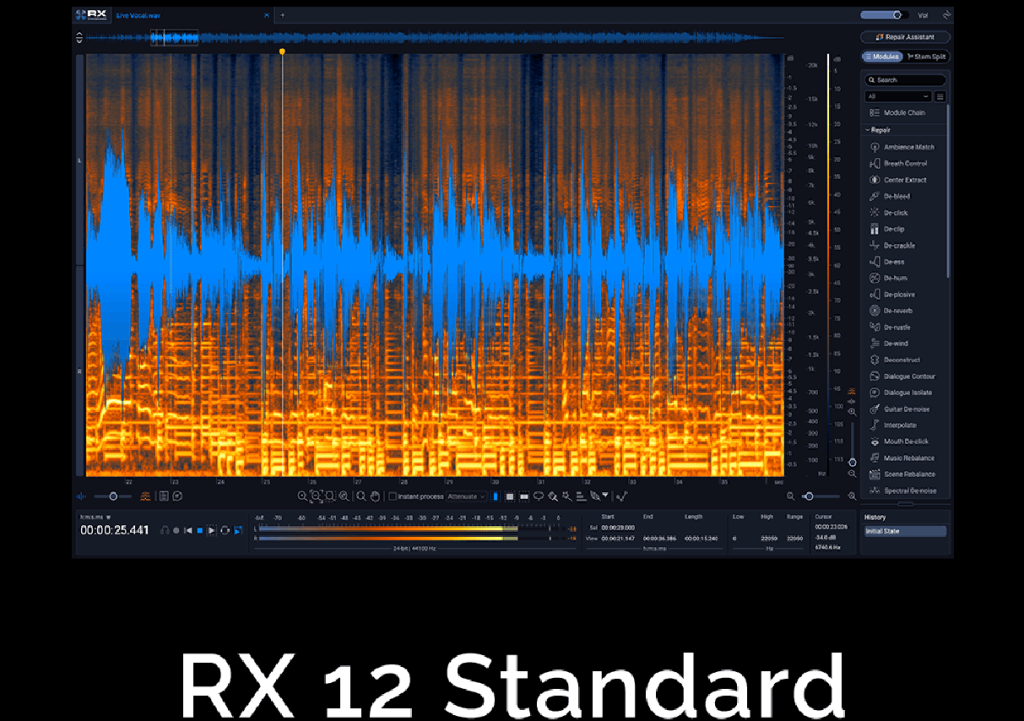
Compared to the Advanced version, RX 12 Standard still offers a comprehensive suite of core repair capabilities:
- Dialogue Isolate & Music Rebalance (Improved)
- De-bleed (Rebuilt)
- Repair Assistant: Automatically analyzes audio and proposes repair solutions
- Streaming Preview: Repair while playing back to quickly assess the results
I frequently use the Standard version to process podcast recordings and simple instrumental tracks; it is fast, stable, and ideal for home studios and beginners. Even with complex mixes, the Standard version delivers impressive repair results, saving me a significant amount of time.
3.Ozone 12 Advanced: The Ultimate Tool for Mastering
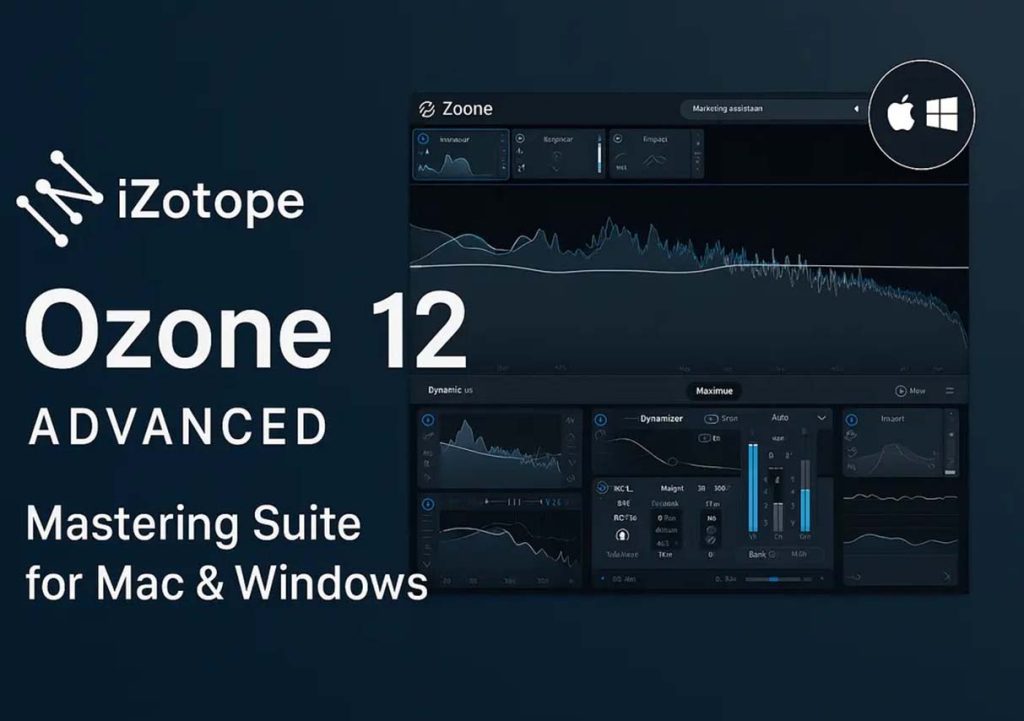
Once the mixing stage is complete, mastering serves as the critical step for elevating the audio quality of my work. iZotope’s Ozone 12 Advanced introduces a host of brand-new features, enabling me to produce professional-grade work right from my home studio:
Core Feature Highlights
- Bass Control (New): Precisely sculpts low frequencies to ensure the track’s bass is both full-bodied and clean
- Stem EQ: Apply EQ adjustments to stems during mastering to fine-tune the layering of instruments and vocals
- Master Assistant Custom Flow: Automatically generates a mastering chain tailored to the specific style of the track
- Unlimiter (New): Ensures maximum loudness while preventing distortion
- IRC5 Maximizer Mode: Intelligent peak control that strikes the perfect balance between loudness and dynamics
My Experience
With Ozone 12 Advanced, I can directly import my final mixes, and the Master Assistant automatically generates an optimized workflow based on the track’s characteristics. I typically fine-tune the Bass Control to ensure the low end is both powerful and clean, while Stem EQ allows me to make precise adjustments to individual stems without compromising the overall dynamics. After applying the IRC5 Maximizer, the track maintains its clarity and balance across various playback devices—eliminating the need to constantly switch back and forth between my monitoring headphones and studio monitors.
Compared to the tedious manual mastering processes of the past, I can now achieve near-professional studio-quality mastering results in just a few minutes. Ozone 12 Advanced significantly elevates the audio quality of home-produced projects while simultaneously eliminating a vast amount of repetitive manual labor.
4.Combining the Strengths of RX 12 and Ozone 12
By integrating the RX 12 and Ozone 12 series into my workflow, my production process has become remarkably efficient:
- RX 12: First, I address noise, unwanted artifacts, mouth clicks, and breath sounds within the recordings, ensuring that every single track is clean and pristine.
- Neutron / RX Music Rebalance: During the mixing stage, I use these tools to quickly optimize the balance and layering of instruments and vocals.
- Ozone 12: In the mastering stage, I enhance the overall audio quality, giving the track a full, clear, and professionally polished sound.
This workflow not only saves a significant amount of time on fine-tuning and repair tasks but also makes the creative process itself more effortless and enjoyable. Tasks that previously required hours—or even a full day—of work can now see their foundational processing completed in just a few minutes, allowing me to devote more of my energy to creativity and arrangement.
iZotope: Bringing Professionalism to the Home Studio
From RX 12 Advanced/Standard to Ozone 12 Advanced, iZotope offers a comprehensive suite of solutions for audio repair, mixing, and mastering. These tools not only elevate audio quality but also streamline the workflow, enabling music production in a home studio environment to achieve professional-grade standards.